
Download Perl Module Manager – Perl, module manager, Perl module, programming tool, developer utility
Overview
The Perl Module Manager is a mobile application designed to assist developers working with Perl, a powerful scripting language widely used in system administration, web development, and data processing. This tool serves as a streamlined utility for managing Perl modules—reusable components that extend the functionality of Perl scripts. By providing a centralized interface for module handling, the app helps developers reduce the complexity of dependency management, particularly in environments where desktop tools may not be readily accessible. It is tailored for programmers who require on-the-go access to module operations, such as installation, updating, or checking compatibility.
Target users include both novice and experienced Perl developers who need a lightweight solution to manage their module libraries without relying on full IDEs or command-line tools. The app may be especially useful in fieldwork, remote development, or educational settings where quick access to module information is critical. While the developer, Eddie C. Reardon, has not provided additional background, the app’s focused functionality suggests a niche but meaningful contribution to the Perl developer ecosystem. Its presence on Android underscores the growing demand for mobile-optimized tools in software development workflows.
Real-world use cases include verifying module availability before writing scripts, checking version compatibility across environments, or tracking installed modules during troubleshooting. In the broader context of mobile productivity tools, Perl Module Manager fills a unique gap by bringing essential programming utilities to handheld devices, supporting a more flexible and responsive development process.
Key Features & Functionality
- Module Installation – Enables users to install Perl modules directly from the app, reducing dependency on external command-line interfaces.
- Module List Management – Displays all installed modules with basic metadata, such as version and path, for quick reference.
- Search and Discovery – Allows users to search for modules by name or keyword, helping locate relevant packages efficiently.
- Version Tracking – Provides visibility into module versions, aiding in compatibility checks and update planning.
- Offline Access – Supports viewing module details and installed lists without an active internet connection.
These features are particularly valuable in scenarios where developers are working in low-connectivity environments or need to verify module availability during code reviews. For instance, a developer on a remote server deployment could use the app to confirm if a required module is already installed, avoiding deployment delays. Similarly, a student learning Perl could use the tool to explore available modules and understand how they enhance script functionality.
Each feature is designed to minimize friction in daily development tasks, offering a mobile-first alternative to traditional desktop-based module managers. The app’s focus on simplicity ensures that users can perform essential operations without navigating complex menus or memorizing command syntax.
Interface, UX & Performance
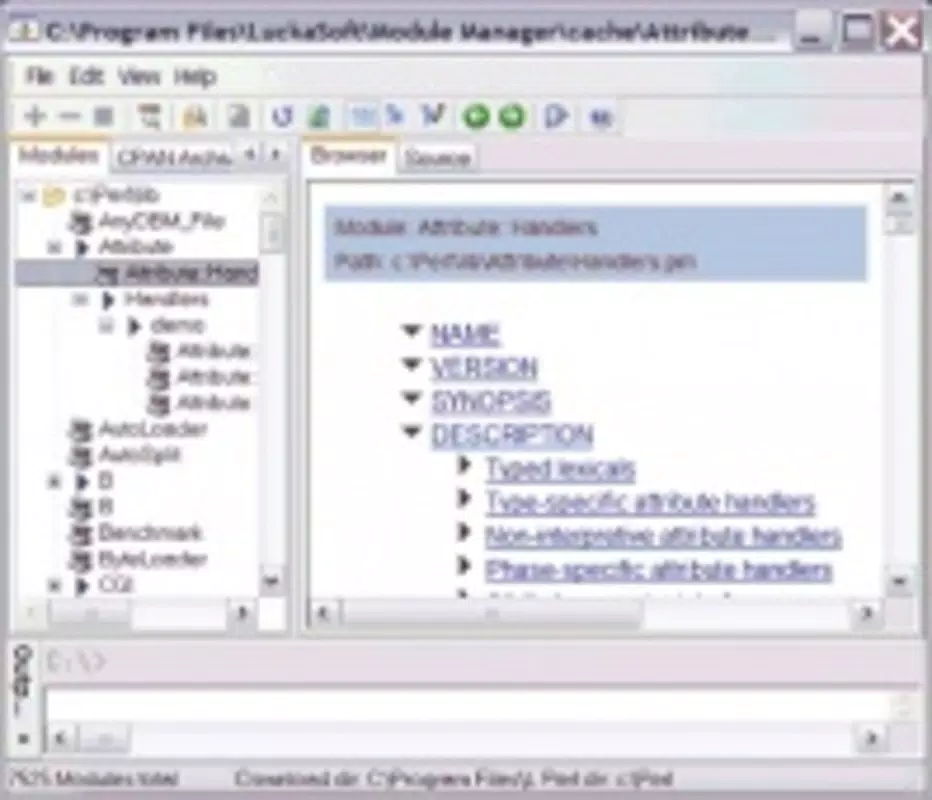
The user interface of Perl Module Manager is designed with clarity and functionality in mind, prioritizing efficient access to core operations. The layout appears to be minimalistic, with a clean hierarchy that organizes features into intuitive sections—such as a central module list, search bar, and action buttons for installation and updates. Visual design elements are likely optimized for readability on smaller screens, using consistent typography and spacing to reduce cognitive load.
Navigating between functions is expected to be straightforward, with logical flow from search to selection to action. The app’s responsiveness is likely tuned for smooth interaction across a range of Android devices, though specific performance metrics were not provided by the developer. The app’s lightweight size of 1.8 MB suggests efficient resource usage, which contributes to fast startup times and minimal memory consumption.
Although the developer did not list formal performance metrics, the app’s small footprint and focused scope indicate a stable and reliable experience. It is expected to function consistently across mid-range and high-end Android devices, maintaining responsiveness even under limited system resources. Stability is further supported by the app’s limited scope—fewer features mean fewer potential points of failure.
Platform Compatibility & Technical Requirements
Perl Module Manager is available exclusively on the Android platform. It is compatible with devices running Android OS, though specific minimum version requirements were not disclosed by the developer. The app’s file size is 1.8 MB, indicating a lightweight footprint that should be accessible on a wide range of devices, including budget smartphones and older models.
Given the app’s nature as a developer utility, it likely does not require high-end hardware or advanced system permissions. However, compatibility with specific Android versions was not fully detailed. The developer did not specify whether the app supports Android 5.0 or later, or if it requires newer system features. Users are advised to check the app’s official page for updated compatibility notes.
Pros and Cons
Pros
- Lightweight design with a small file size of 1.8 MB
- Free to download and use, making it accessible to all developers
- Designed specifically for Perl developers, offering targeted functionality
- Supports offline access to module information
- Simple, intuitive interface suitable for both beginners and experienced users
Cons
- Specific OS version requirements were not listed
- No detailed information on supported module repositories or sources
- Limited feature set may not meet advanced development needs
- Developer has not provided documentation or in-app help guides
- Compatibility with older Android versions remains unclear
FAQ
Is Perl Module Manager available on iOS?
The app is currently available only on Android. There is no official iOS version reported at this time.
Do I need an internet connection to use the app?
Basic functionality such as viewing installed modules and searching the local list can be used offline. However, online features like module installation may require an active internet connection.
Is the app safe to download and install?
Yes, the app is free and distributed through official Android channels. It does not require elevated permissions, reducing potential security risks.
Can I update the app after installation?
Yes, users can update the app through the Google Play Store or official distribution channel when a new version is released.
Does the app support all Perl modules?
The app’s compatibility with specific Perl modules depends on the repositories it accesses. The developer did not specify the full range of supported modules.
Final Thoughts + CTA
Perl Module Manager stands out as a focused, lightweight tool that brings essential module management capabilities to mobile developers. Its clean interface, offline functionality, and free access make it a practical companion for Perl programmers on the move. While its feature set is modest, it delivers reliable performance for core tasks like module discovery, version tracking, and installation.
Developers who frequently work with Perl and value mobility and simplicity will benefit most from this app. It is particularly well-suited for students, educators, and professionals managing scripts in constrained environments. The app fills a niche gap in the mobile developer toolset, offering a secure, efficient way to manage Perl dependencies without heavy dependencies on desktop software.
For anyone working with Perl and seeking a portable, no-frills utility, Perl Module Manager offers a compelling solution. Download Perl Module Manager now to streamline your module management workflow on Android.


